How do I change my password?
How do I change my password?
The following steps will help you change the password of your account.
Step 1 – Login to UniHyr. You will automatically be directed to the home page.
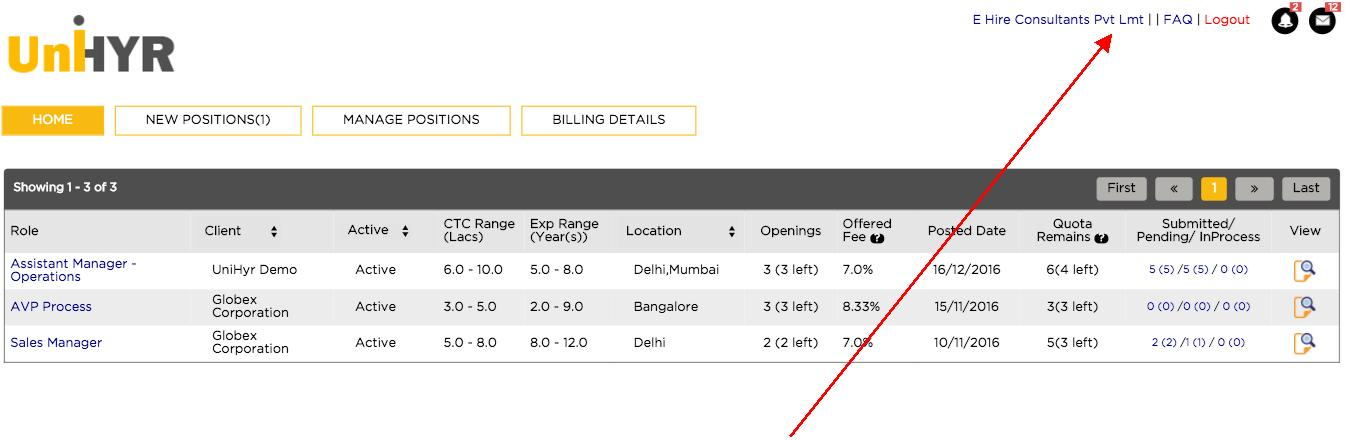
On the top right corner of the page, your account name will be shown. Select on your account name (In this case E Hire Consultants Pvt Ltd)
Step 2 – You will be directed to your account page. Here you can view your details which have been registered with UniHyr.
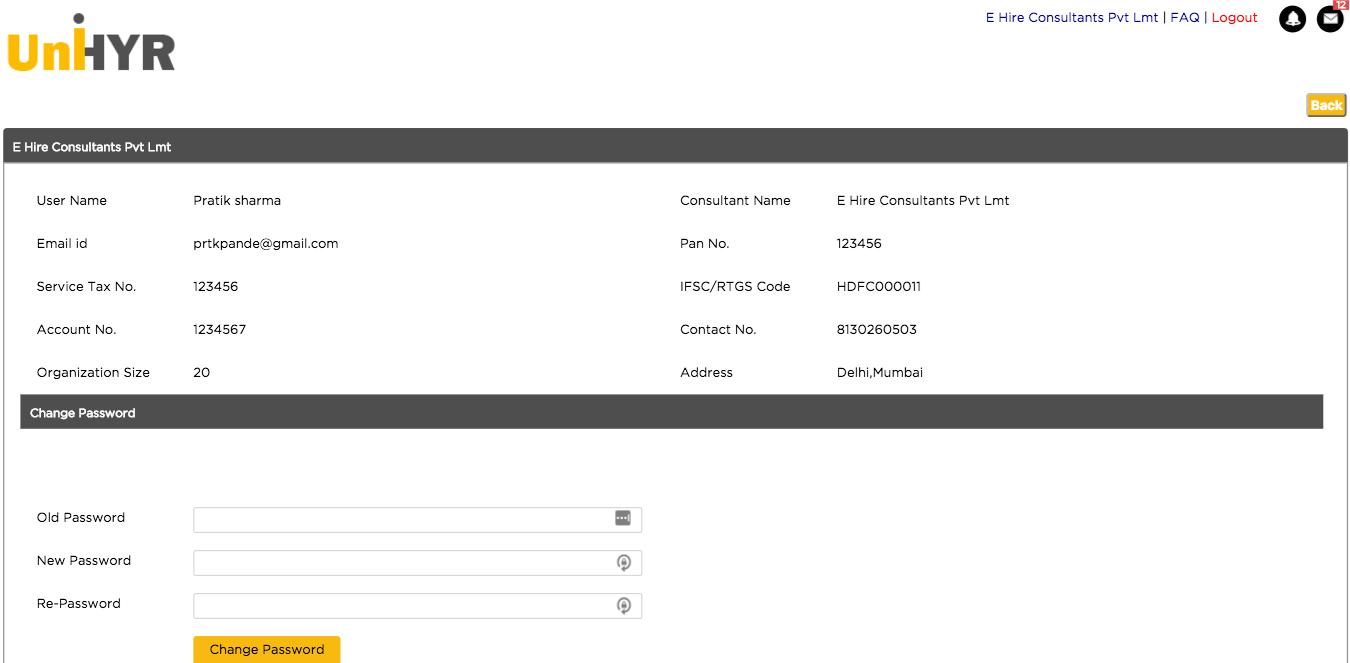
Step 3 – To change your password: -
Type in your current password in Old password.
Type in the changed password in New password
Re-type the changed password in Re – Password
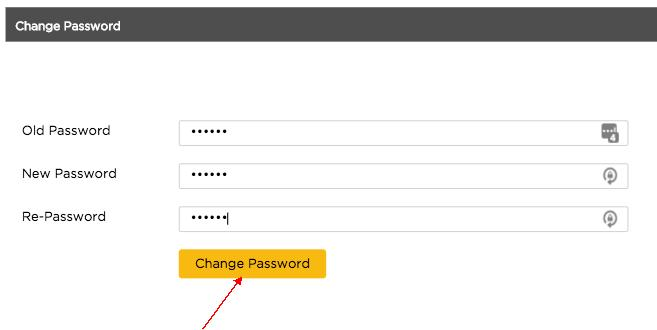
Step 4 – Select Change Password to confirm
Step 5 – Congratulations, you changed the password. A pop up box will appear on the bottom right of the screen as a confirmation message.

You will be automatically logged out. You can continue working by logging in with the new password.