How do I message a Client?
How do I message a client?
The following steps will take you through the process of sending messages to clients.
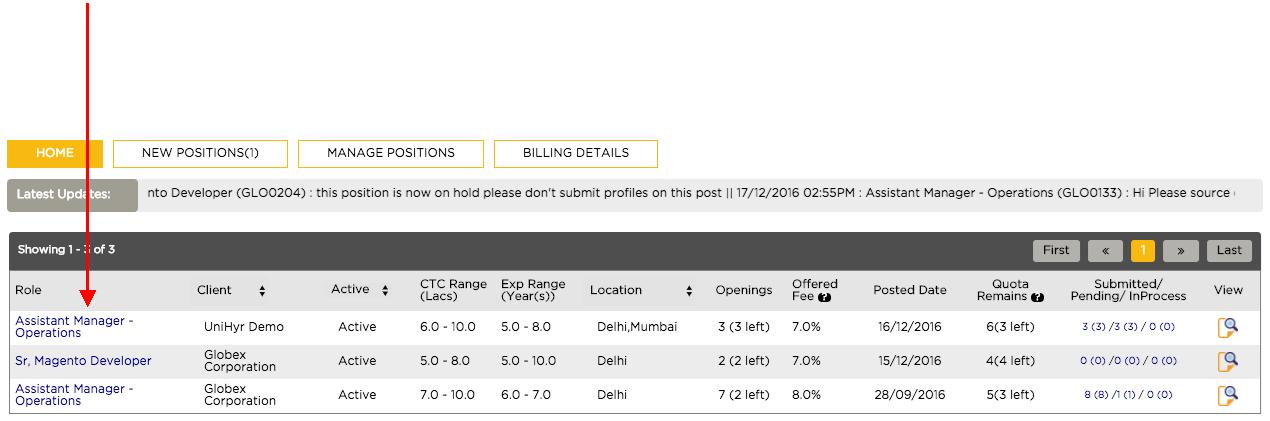
Step 1: From your home page, click on the role for which you want to send a message for (In this case, Assistant Manager – Operations)
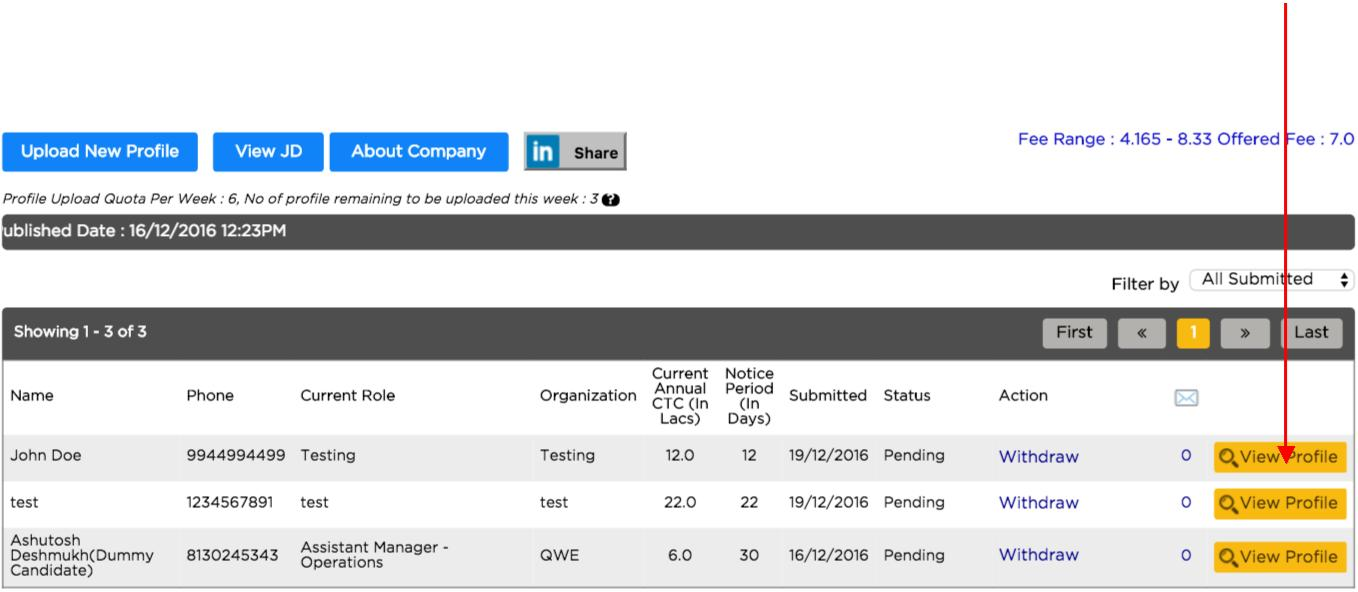
Step 2: You’ll be directed to Manage Positions page. You’ll have to select View Profile for the candidate regarding whom you wish to discuss with the client. (In this case John Doe)
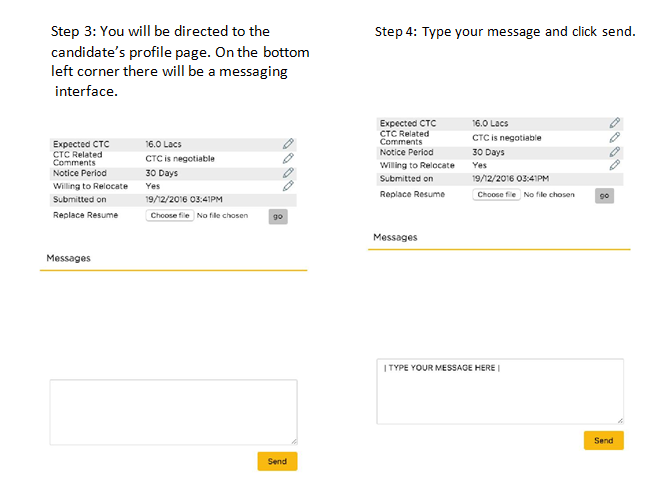
Step 3: You will be directed to the candidate’s profile page. On the bottom left corner there will be a messaging
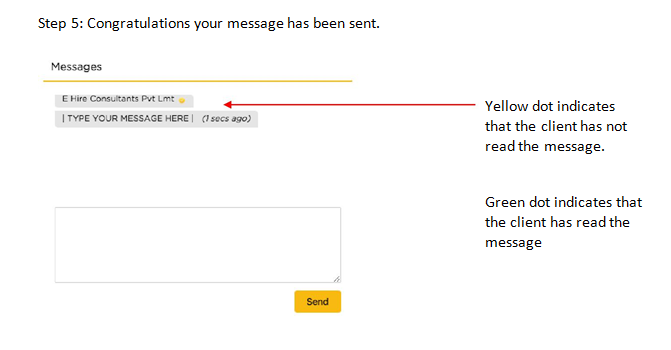
Step 5: Congratulations your message has been sent.