How do I search for the job description of a particular role?
How do I search for the job description of a particular role?
The following steps will take you through the process locating the job description for any role.
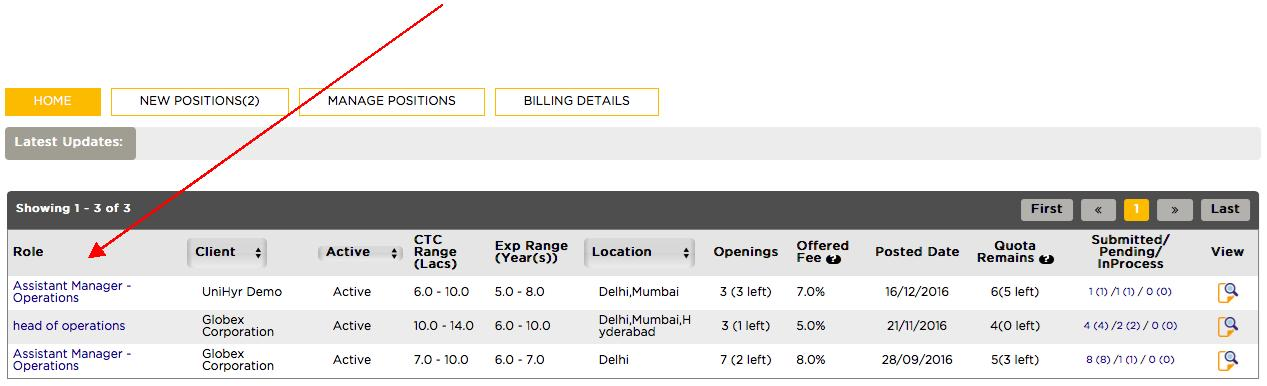
Step 1 - From your homepage, select the role for which you need the job description. In this case; Assistant Manager – Operations.
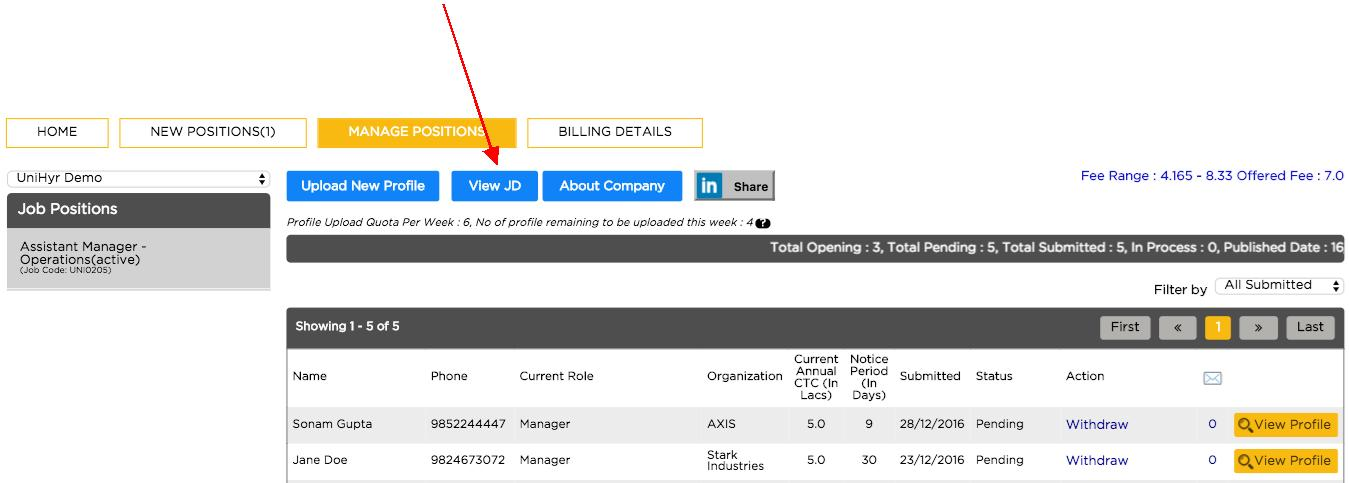
Step 2 – This will take you to manage positions page. Select on View JD.
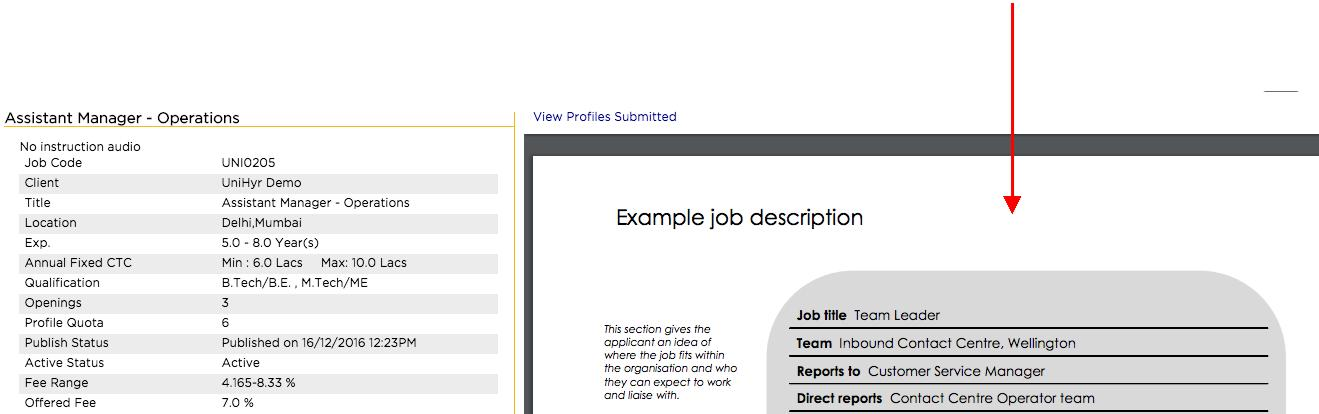
Step 3 – You will be directed to the Job Description page. On the right side the job description will be shown.
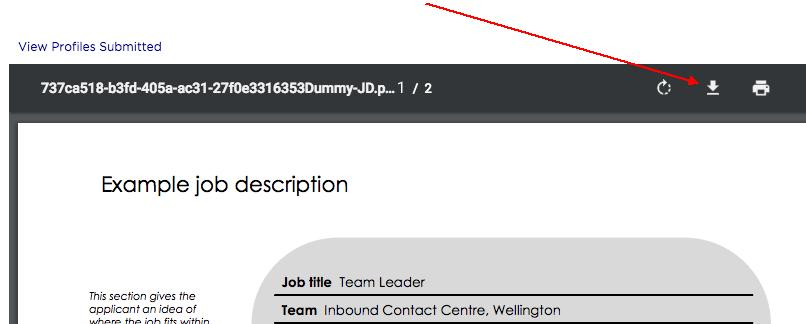
If you want to save the job description on your device, hover the mouse pointer on job description and select the download button.
A pop up will appear, select Save
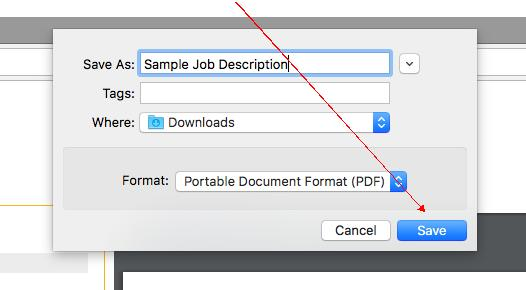
Congratulations, the job description has been saved. For security reasons, the job description will be saved in pdf format.