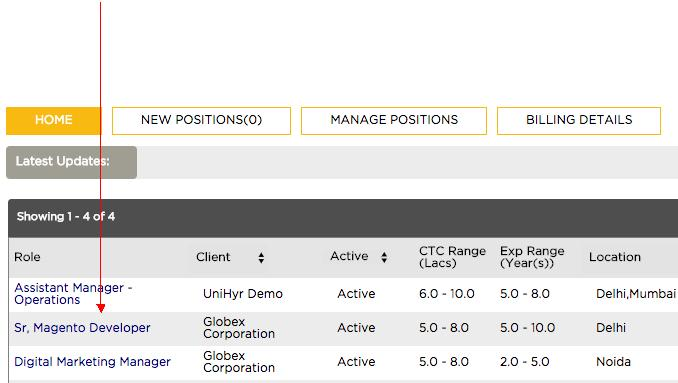
How do I find new profiles to work on?
How do I find new profiles to work on?
To find new profiles to work on, follow these steps.
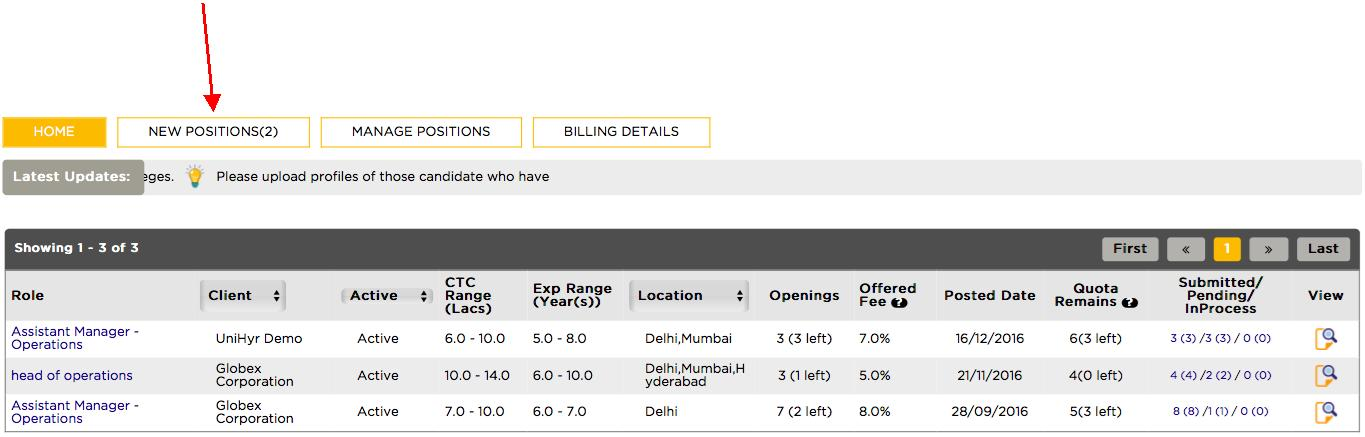
Step 1 – From your homepage click on * New Positions *. The number shown next to new positions shows the quantum of new indents available from the clients.
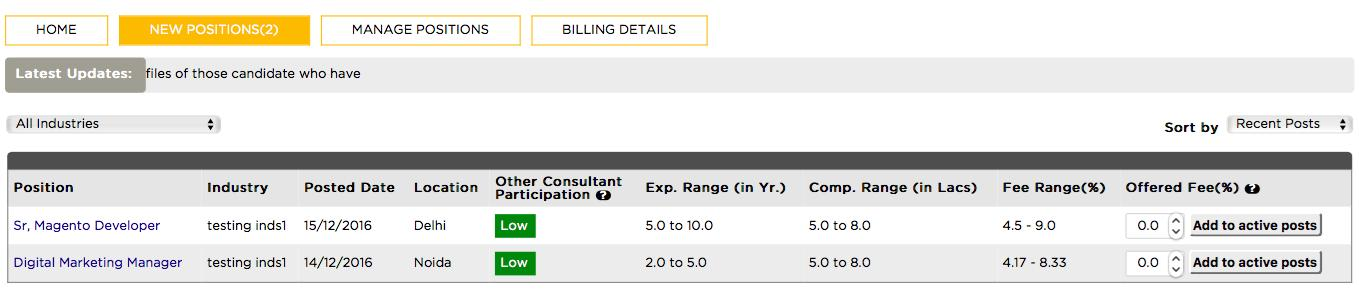
Step 2 – The new Positions page will show all the new indents that you can work on. Additional information such as fee range, CTC etc is shown as well.
Step 3 – Click on the role that you want to review (in this case Sr. Magento Developer) You will be directed to a detailed job page showcasing all relevant information such as location, experience, fee range etc. along with the JD.
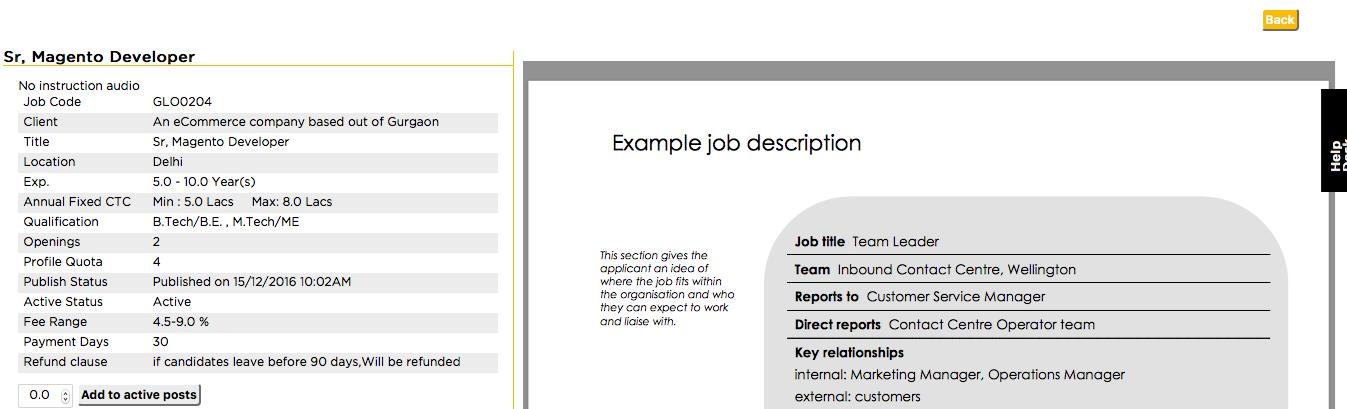
Step 4 – If you are interested in working on this position fill in the fee you wish to offer to the client. Your fee should be within the fee range.
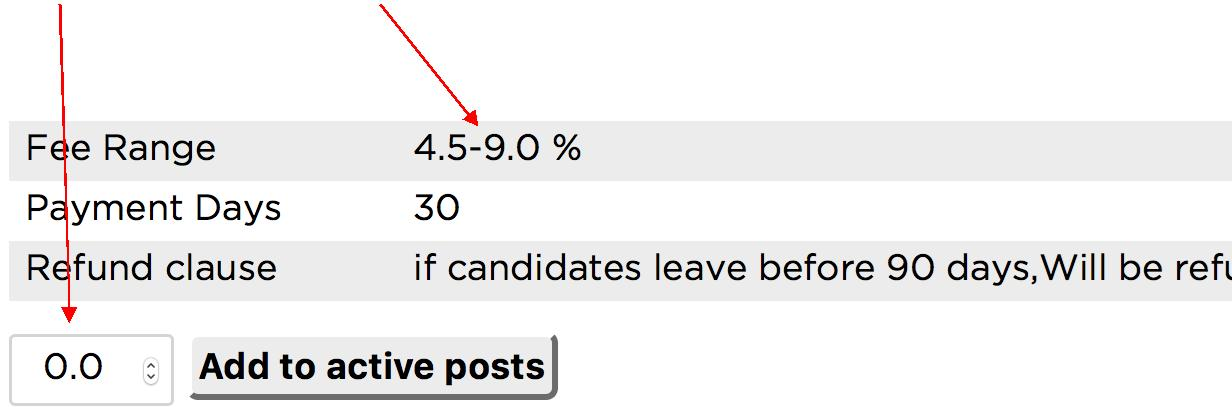
Step 5 – Assuming a fee of 7.0%, select * Add to active posts *

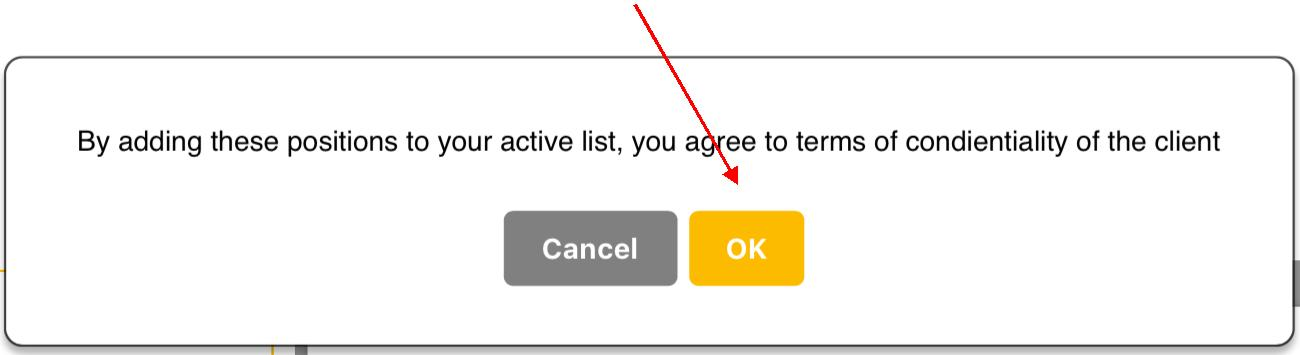
Step 6 – Confirm your selection by clicking * OK *
Step 7 – Congratulations, you can now start working on this indent. This will be updated on your home page as shown below. Upload relevant profiles by clicking on the job post.